Hosts File Editor Tool
When performing tests, you often need to modify the hosts file, and entering the `/etc` directory and opening hosts with an editor each time is very tedious. After experiencing various tools on the market, I always felt they were not handy enough, so I developed this visual hosts modification and profile grouping management tool specifically for macOS.
Start Installing & Experiencing
Follows Apple's standard DMG drag-and-drop installation. Completely free and without ads.
Quick Editing & Instant Effect
After double-clicking the software, input the system login password (as modifying the system hosts file requires administrator permissions), and you can intuitively enter the visual table editing interface of the current `/etc/hosts` file. Each record is clear at a glance:
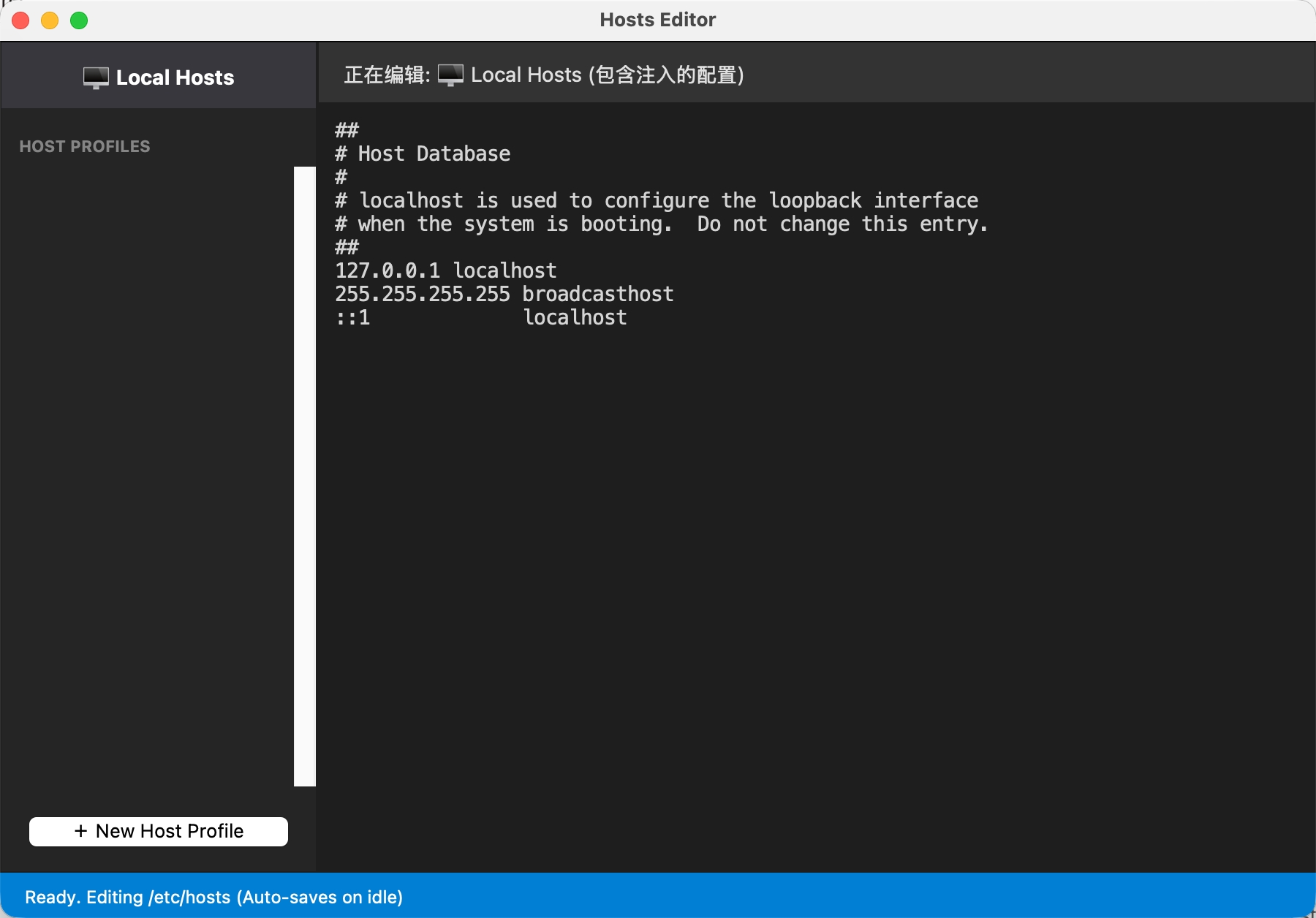
You can add, delete, modify, and query hosts entries directly in the table. Each time you save changes, the software will automatically flush the system DNS Cache for you and notify the system to reload hosts, ensuring your modifications take effect immediately in the browser or terminal without manually running commands to refresh.
Multi-scenario Profiles (Host Profiles)
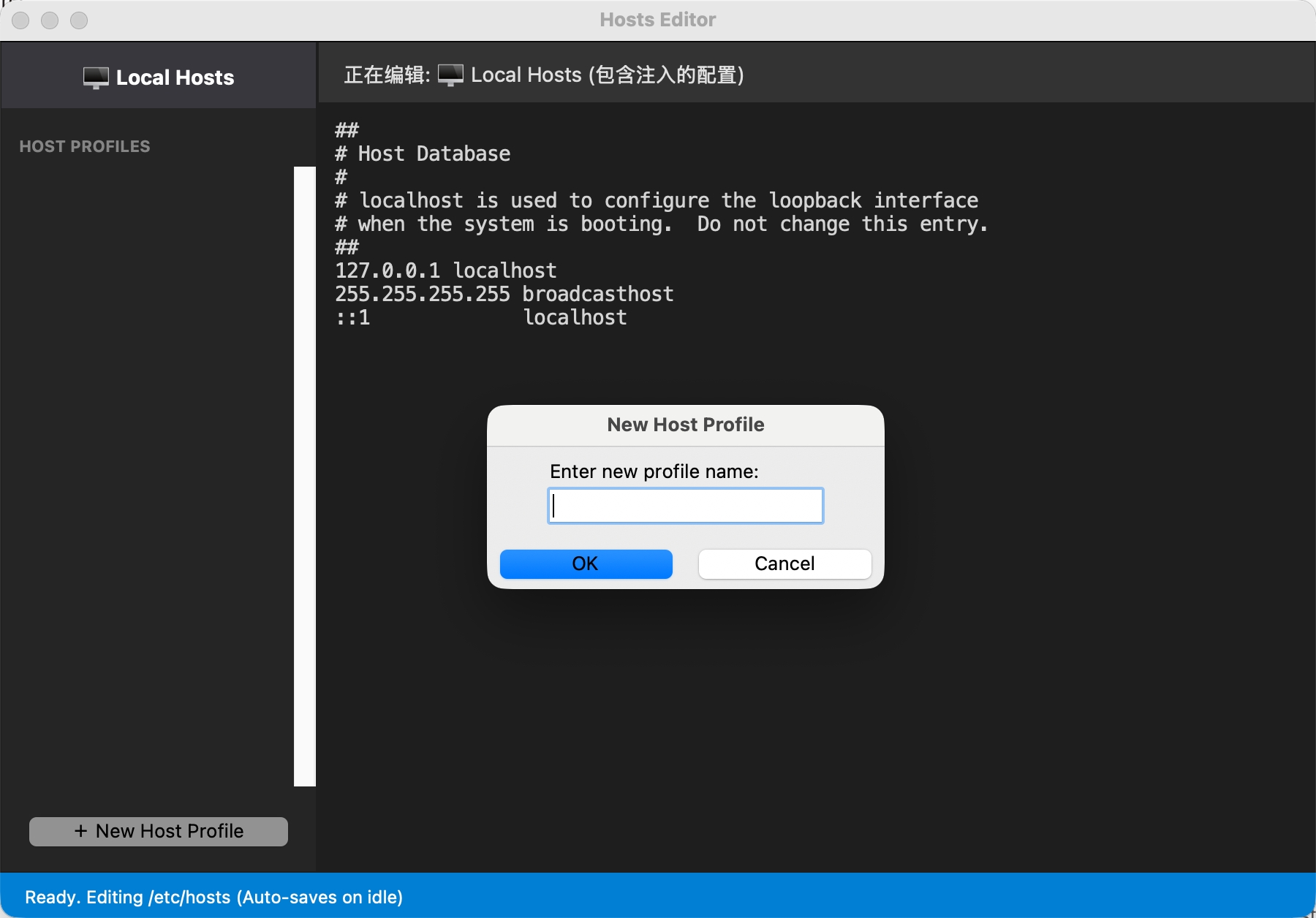
Faced with complex testing and environment deployment needs, you can click the "+" button in the lower-left corner of the interface to create one or more environment profiles (Host Profile):
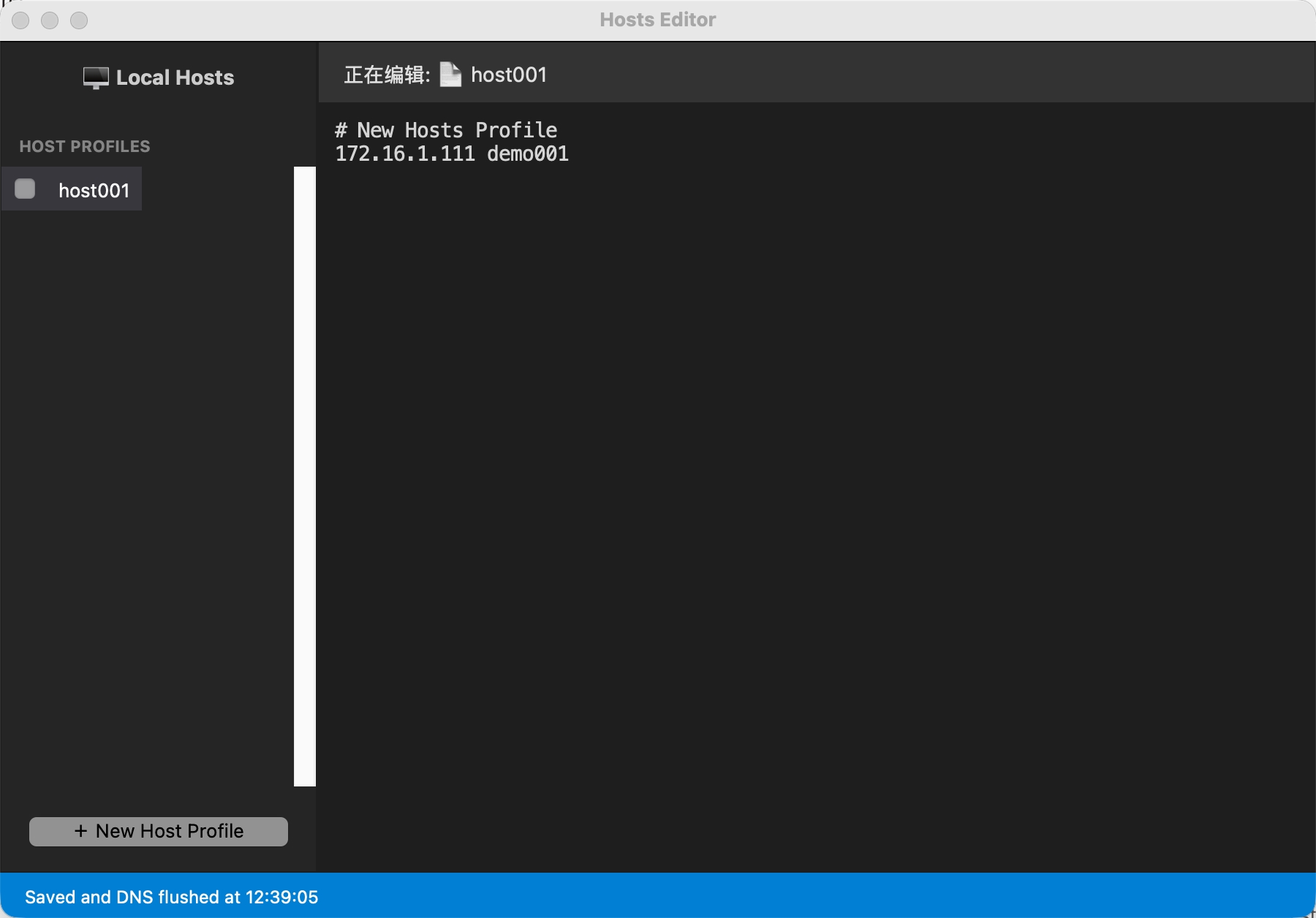
In the details of the corresponding profile group, you can separately configure the hosts domain name mapping relations unique to that environment:
Hosts entries inside profiles do not immediately modify your system hosts file. The corresponding resolution rules will be written into `/etc/hosts` only when you check and enable the Profile in the left list:
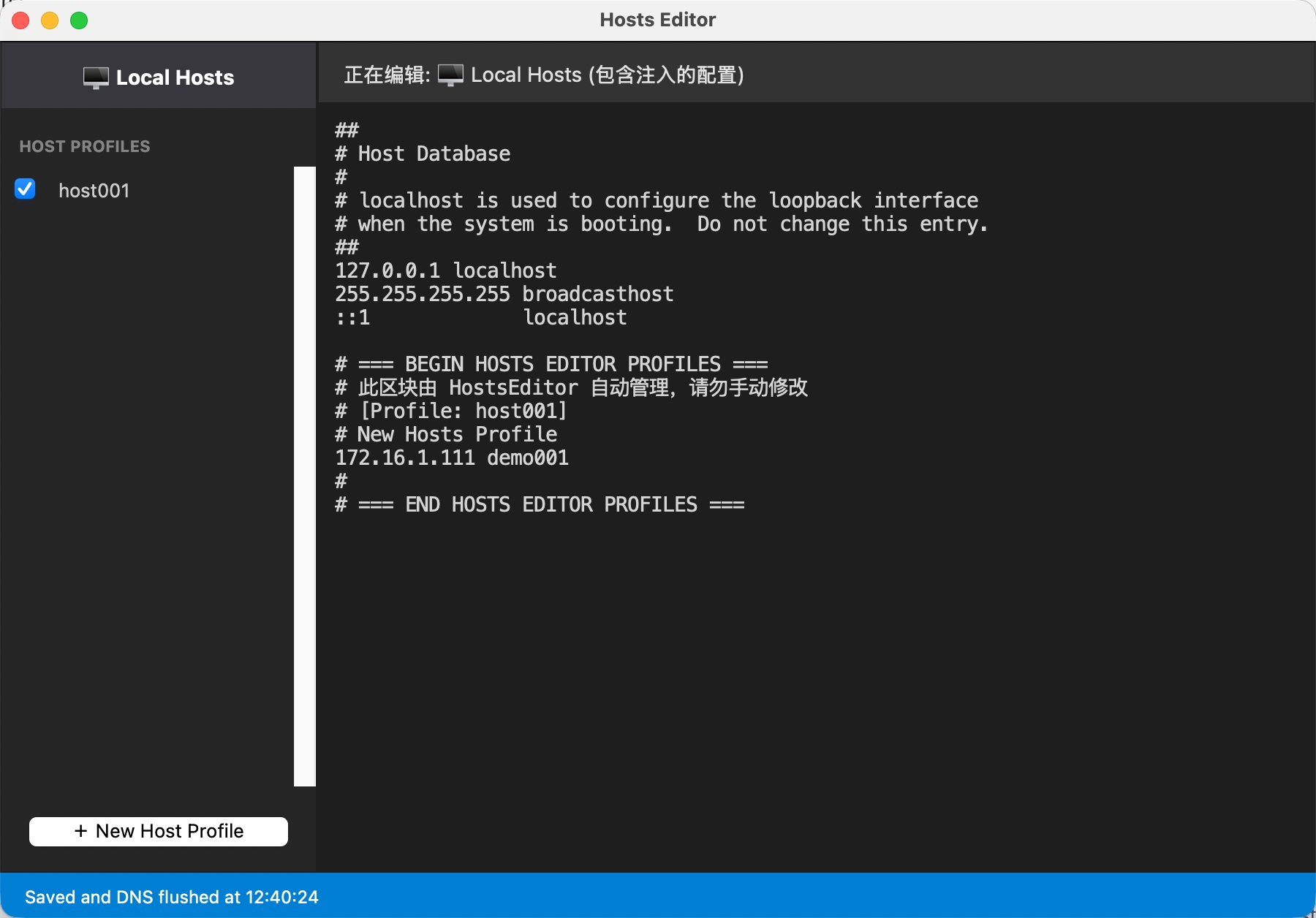
Supports enabling multiple profiles for different scenarios at the same time. When writing to the system file, the program will thoughtfully add comments indicating which records are introduced by which profile, making it easy to check manually:
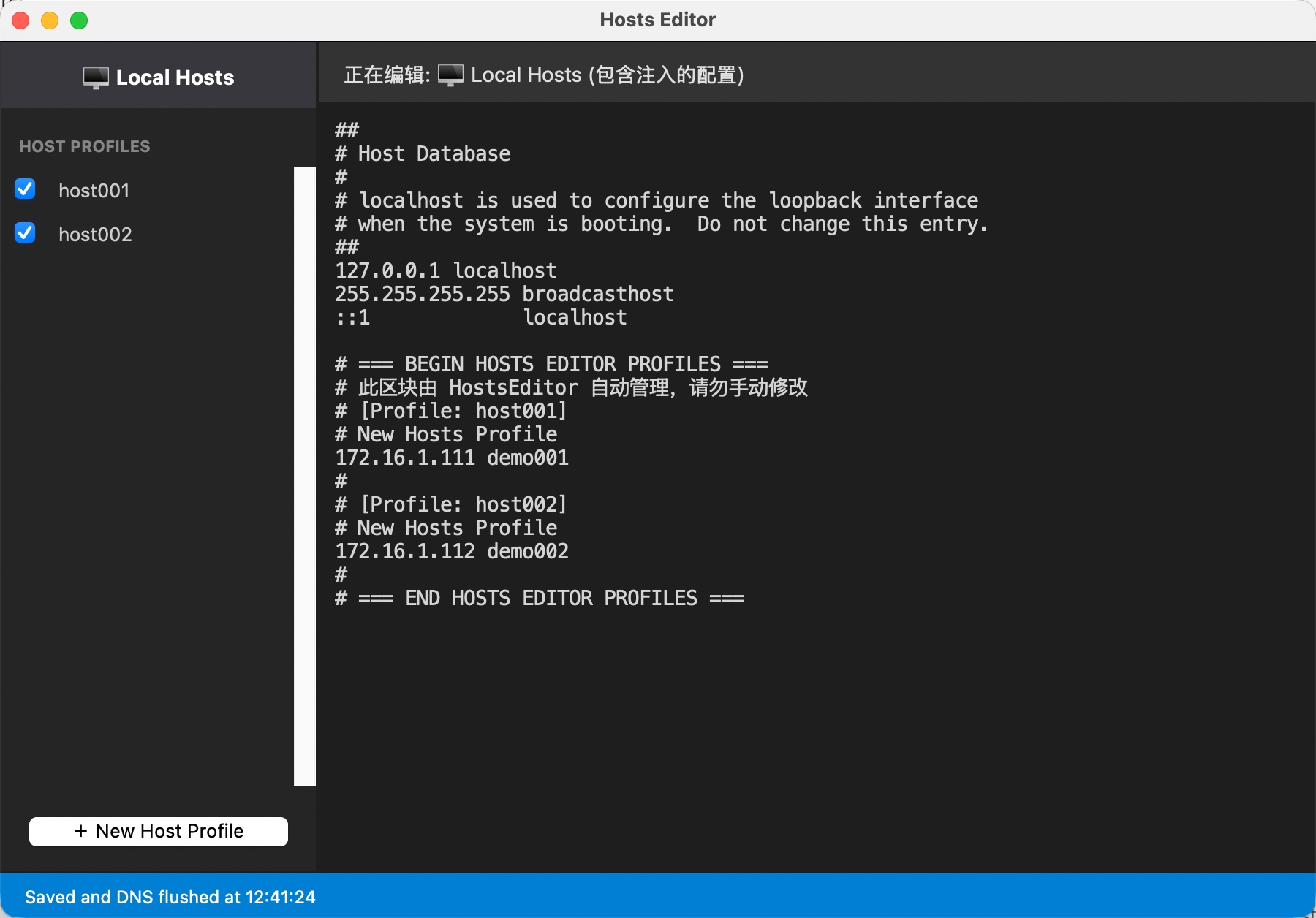
Smart Conflict Resolution Mechanism
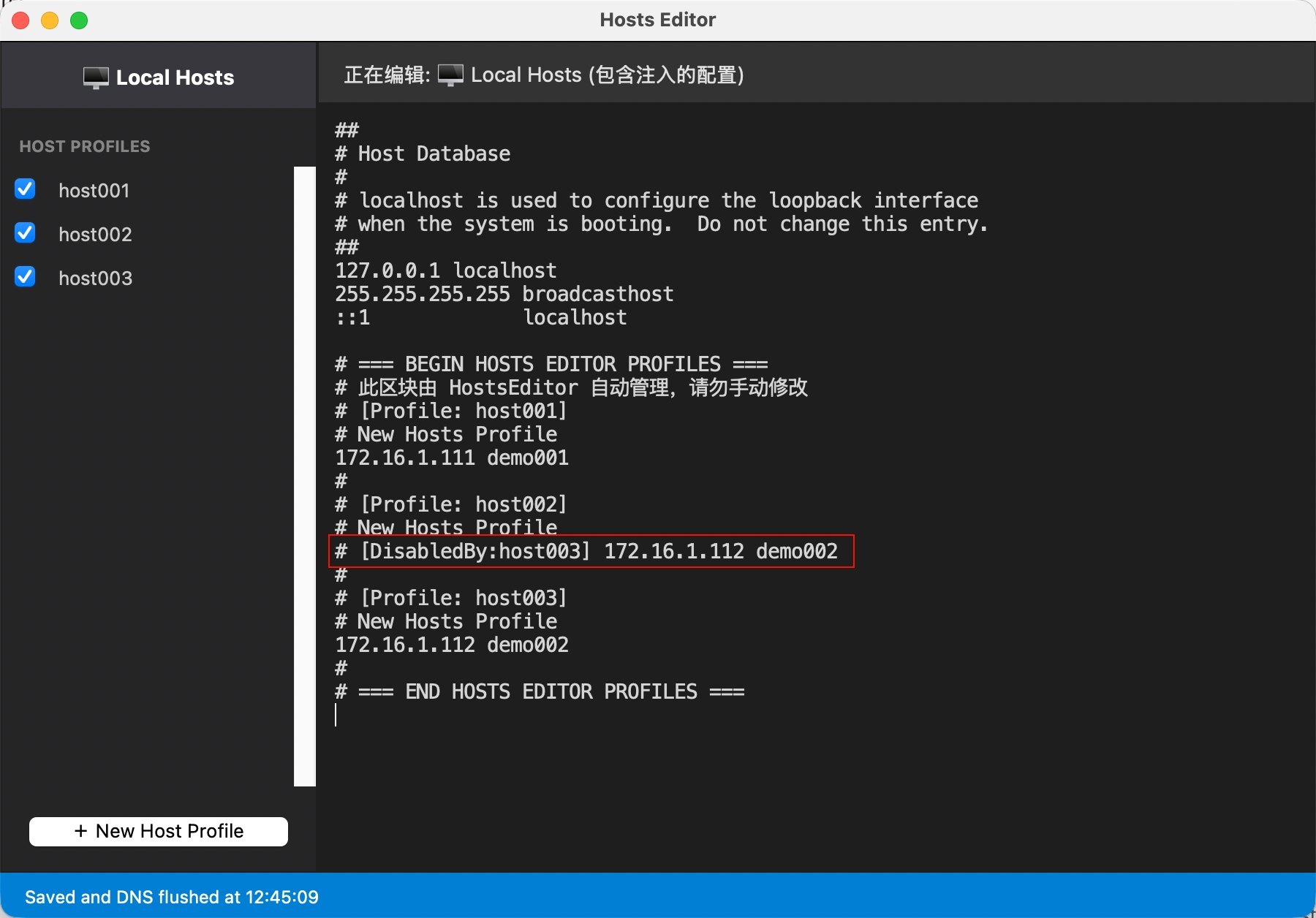
When loading multiple configuration profiles, conflicts may occur where different Profiles map the same domain to different IP addresses. At this time, the software will trigger a conflict resolution dialog, providing two options: comment out the original entry (temporarily disable the conflicting line to let the new mapping take effect) or revert the current modification:
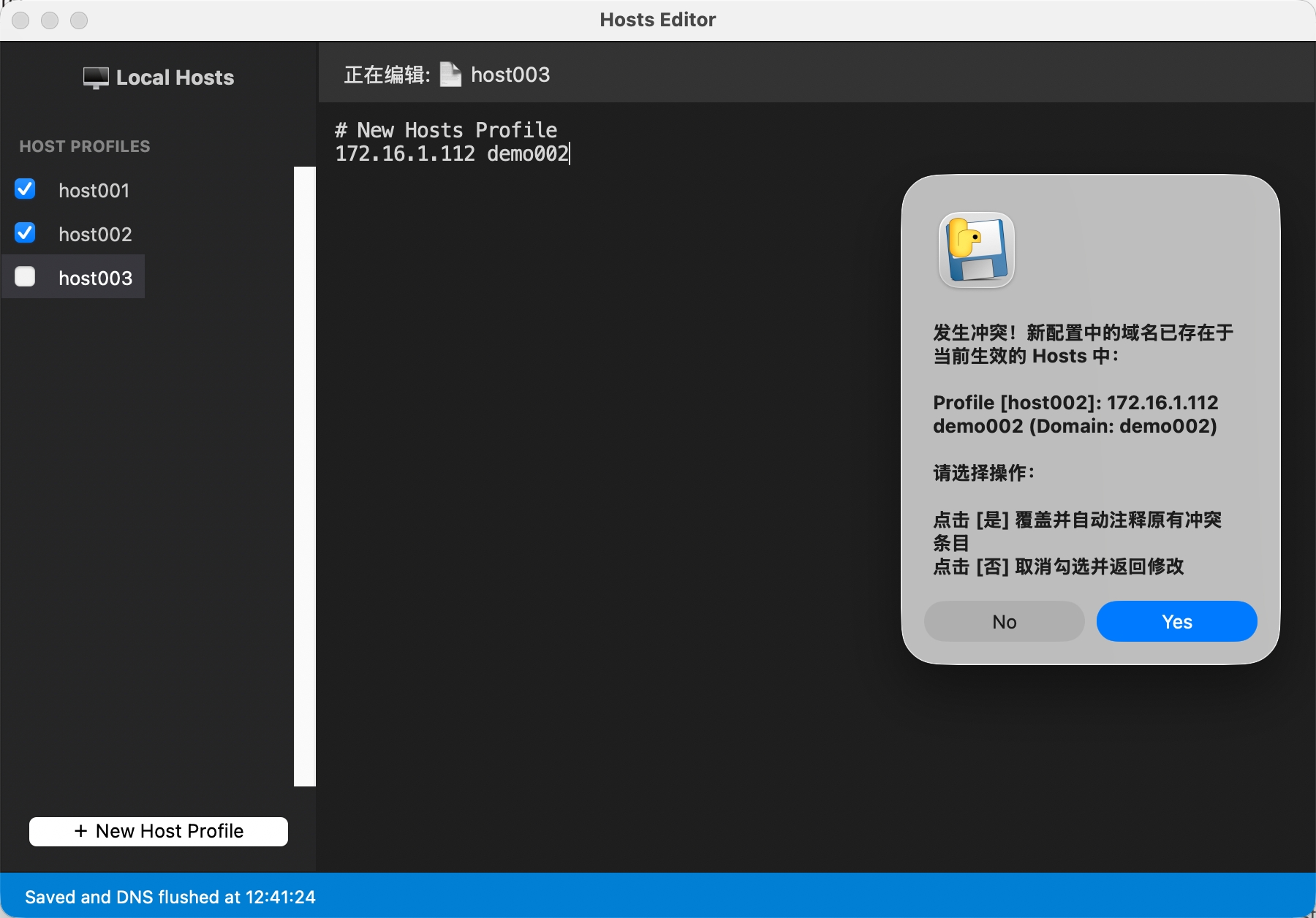
If you choose to comment out the old entry, a detailed comment will be appended after the disabled line in the system hosts file, explaining which new conflicting Profile disabled this line:
Once you uncheck the Profile in the left list, the software will automatically restore the changes and safely remove all modifications made to `/etc/hosts` by that Profile:
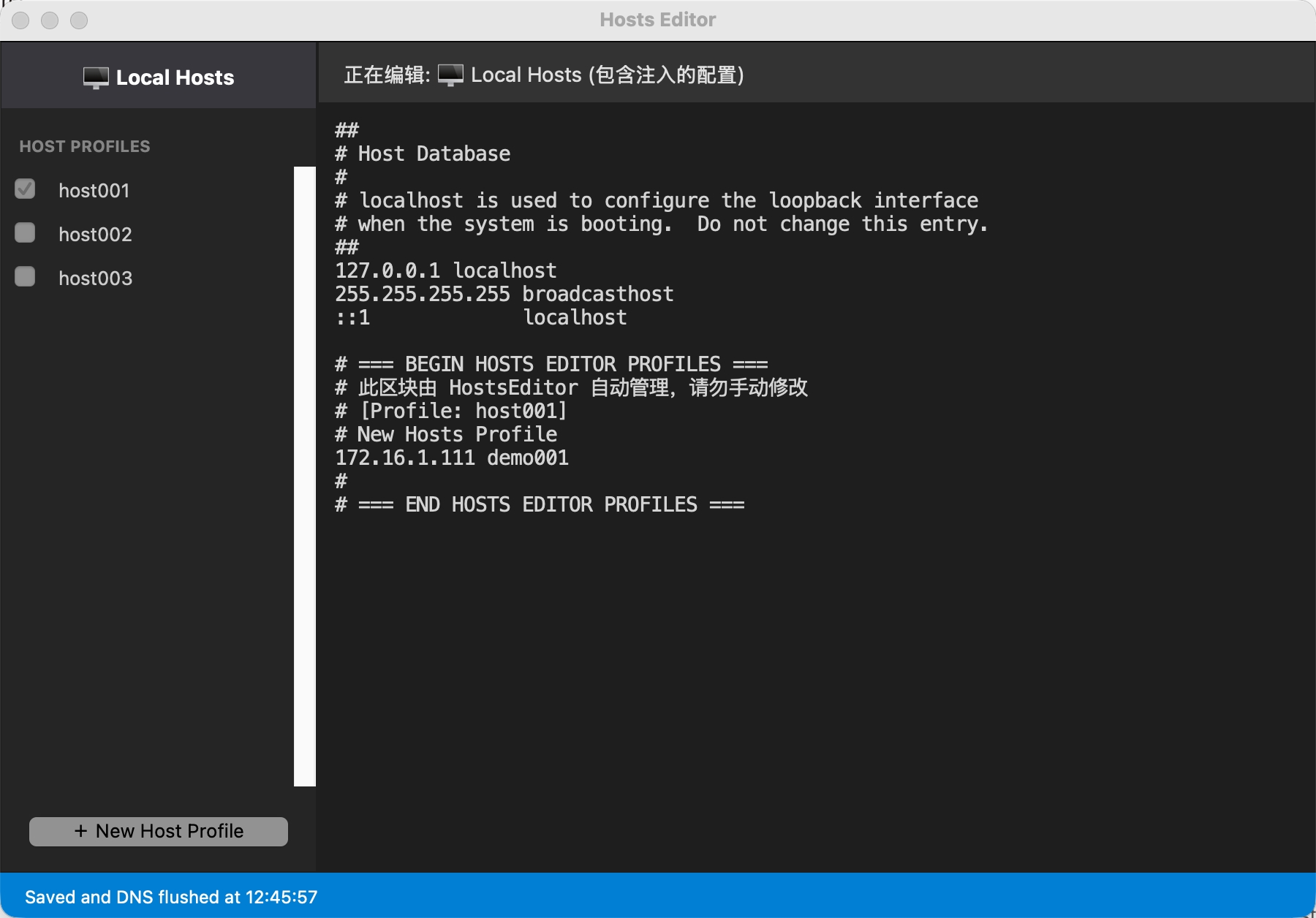
Flexible Management Operations
The left list isn't just for checking boxes. When you right-click any Profile, you can easily perform handy operations like Delete, Rename, or Duplicate:
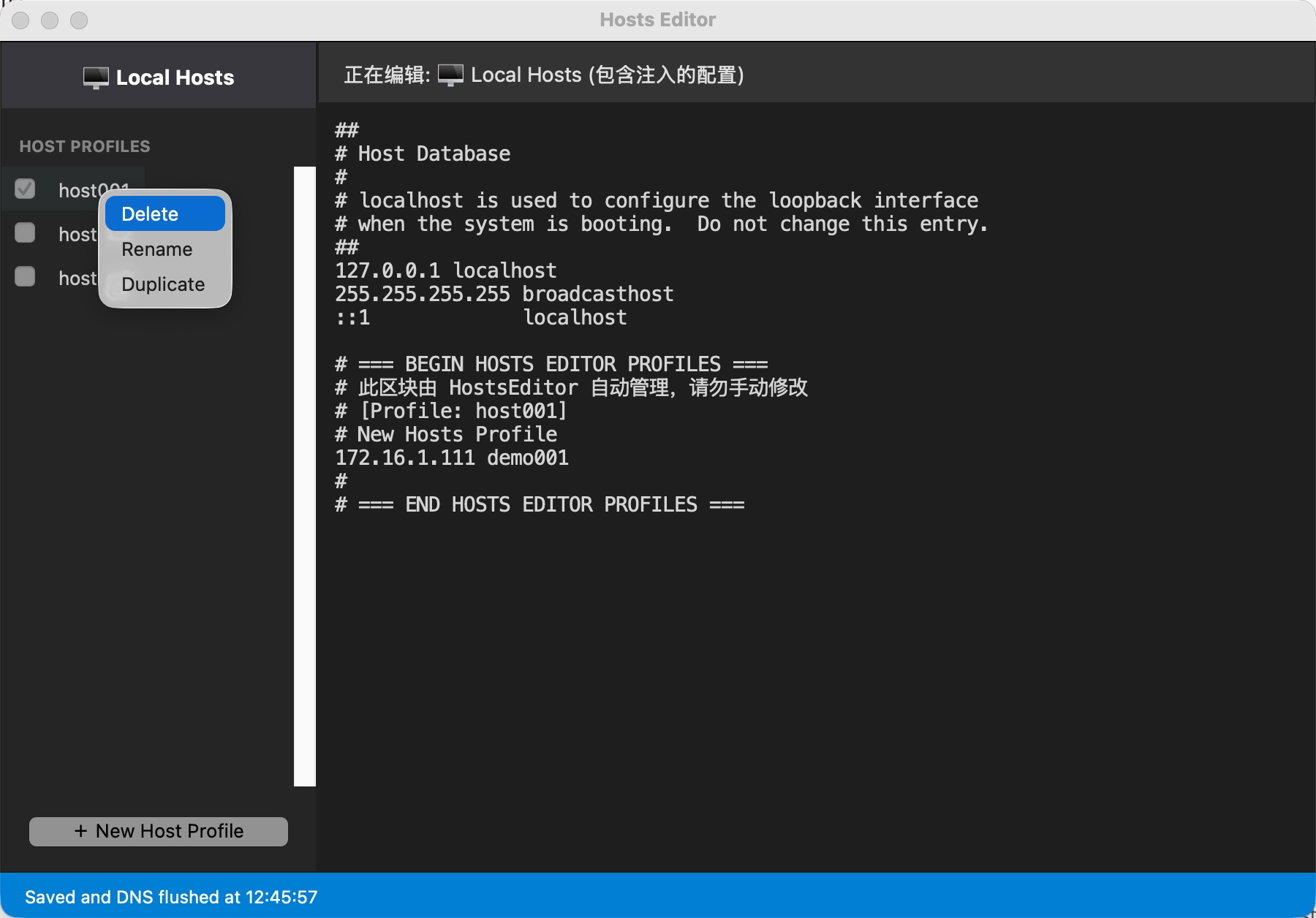
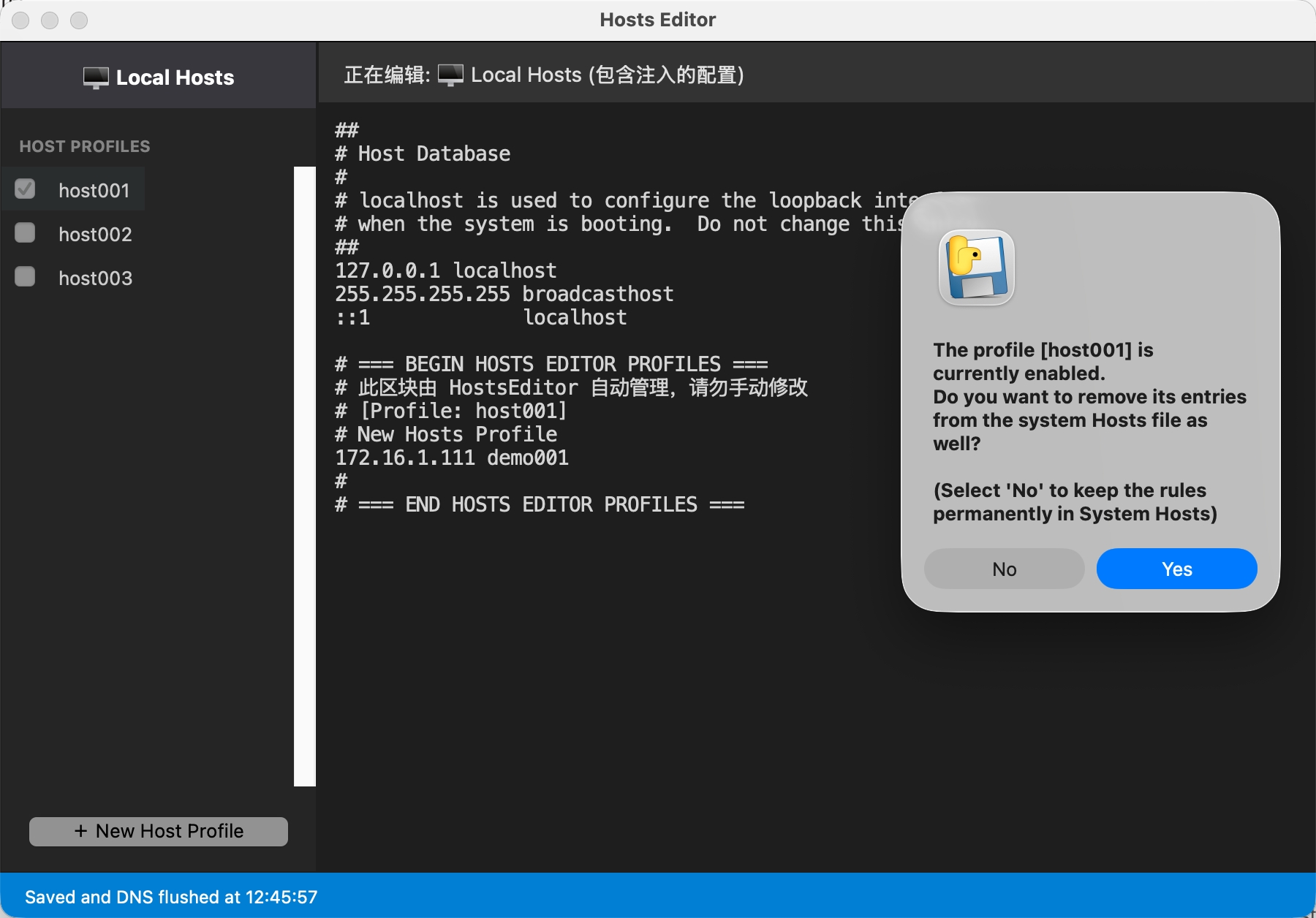
To prevent accidental operations, when deleting an active/enabled Profile, the system will pop up a confirmation dialog asking if you want to synchronously clear the configuration that has already taken effect in the `/etc/hosts` file:
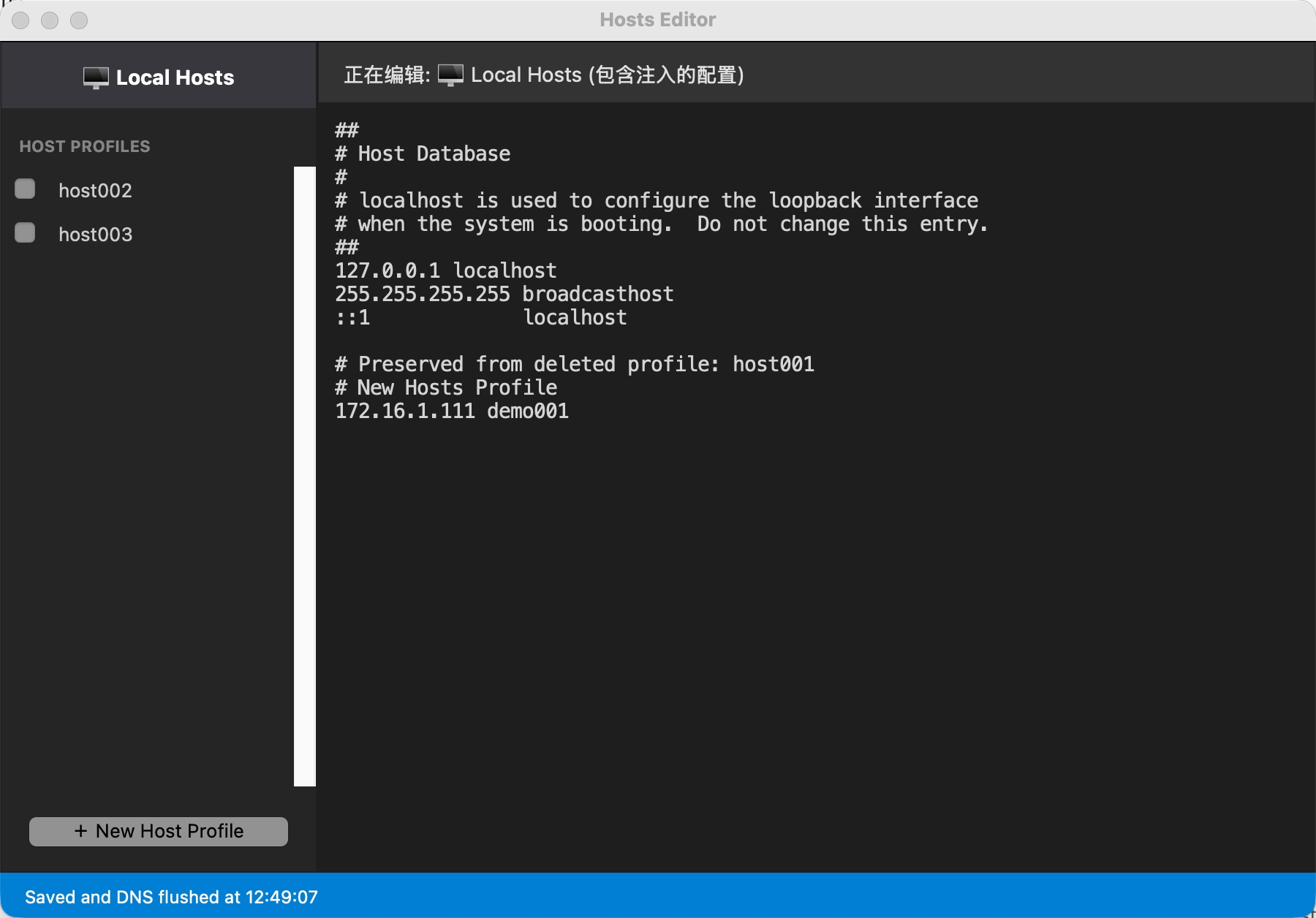
If you choose to retain it, the records will remain in the system hosts, but they will be marked by the software and appended with detailed comments proving that the entry is a "legacy" left by a deleted group:
Free software, welcome to download and experience! If you have any feedback or ideas, please let me know.
Comments & Feedback